- Rust 100%
| Filename | Latest commit message | Latest commit date |
|---|---|---|
| .github/workflows | ||
| .vscode | ||
| cove | ||
| cove-config | ||
| cove-input | ||
| cove-macro | ||
| .gitignore | ||
| Cargo.lock | ||
| Cargo.toml | ||
| CHANGELOG.md | ||
| CONFIG.md | ||
| README.md | ||
| screenshot.png | ||


cove
Cove is a TUI client for euphoria.leet.nu, a threaded real-time chat platform.
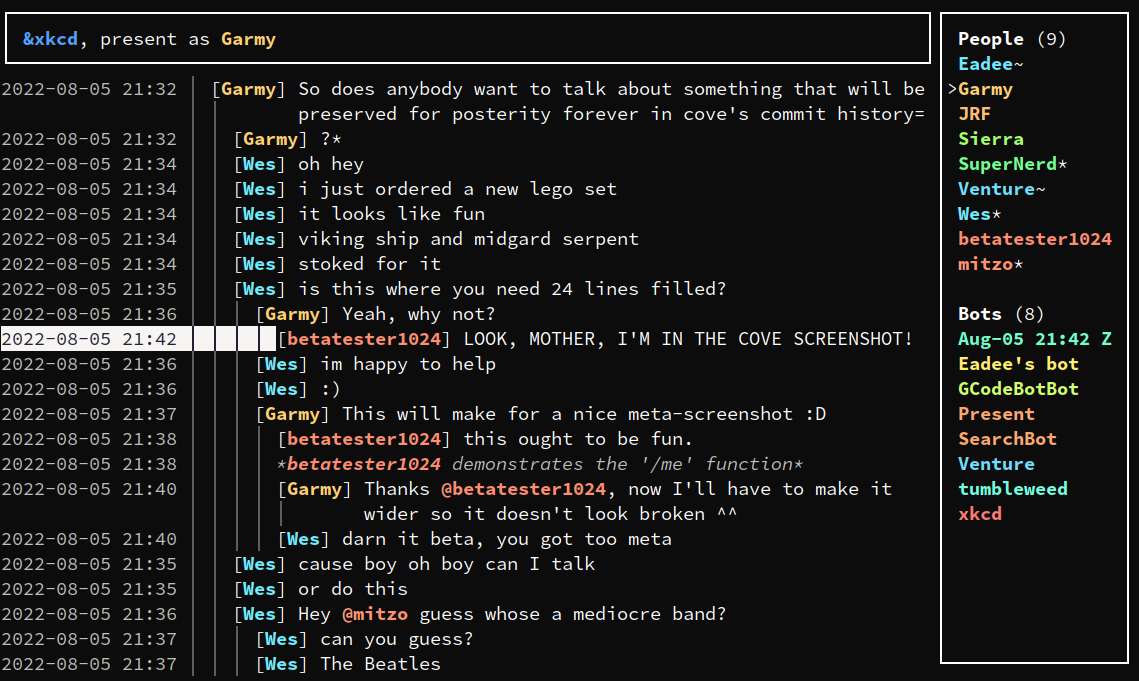
It runs on Linux, Windows, and macOS.
Installing cove
Download a binary of your choice from the latest release on GitHub.
Using cove
To start cove, simply run cove in your terminal. For more info about the
available subcommands such as exporting room logs or resetting cookies, run
cove --help.
If you delete rooms, cove's vault (the database it stores messages and other
things in) won't automatically shrink. If it takes up too much space, try
running cove gc and waiting for it to finish. This isn't done automatically
because it can take quite a while.
Configuring cove
A complete list of config options is available in the CONFIG.md
file or via cove help-config.
When launched, cove prints the location it is loading its config file from. To
configure cove, create a config file at that location. This location can be
changed via the --config command line option.