 Joscha
c618413728
Joscha
c618413728
In some cases when expanding popups with centered titles horizontally, the title would jump right and left by one character. The new popups also look more like the lazygit popups. |
||
|---|---|---|
| src | ||
| .gitignore | ||
| Cargo.lock | ||
| Cargo.toml | ||
| CHANGELOG.md | ||
| README.md | ||
| screenshot.png | ||

cove
Cove is a TUI client for euphoria.io, a threaded real-time chat platform.
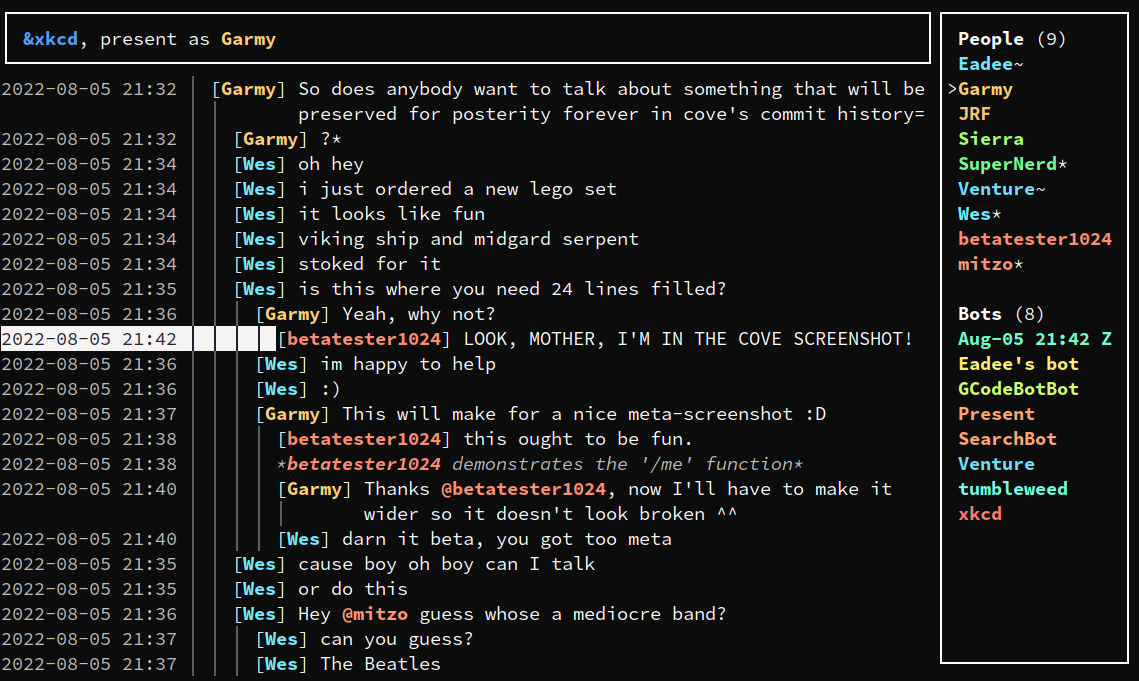
It runs on Linux, Windows and macOS.
Manual installation
This section contains instructions on how to install cove by compiling it yourself. It doesn't assume you know how to program, but it does assume basic familiarity with the command line on your platform of choice. Cove runs in the terminal, after all.
Installing rustup
Cove is written in Rust, so the first step is to install rustup. Either install it from your package manager of choice (if you have one) or use the installer.
Test your installation by running rustup --version and cargo --version. If
rustup is installed correctly, both of these should show a version number.
Cove is designed on the current version of the stable toolchain. If cove doesn't compile, you can try switching to the stable toolchain and updating it using the following commands:
$ rustup default stable
$ rustup update
Installing cove
To install or update to the latest release of cove, run the following command:
$ cargo install --force --git https://github.com/Garmelon/cove --branch latest
If you like to live dangerously and want to install or update to the latest, bleeding-edge, possibly-broken commit from the repo's main branch, run the following command.
Warning: This could corrupt your vault. Make sure to make a backup before running the command.
$ cargo install --force --git https://github.com/Garmelon/cove
To install a specific version of cove, run the following command and substitute in the full version you want to install:
$ cargo install --force --git https://github.com/Garmelon/cove --tag v0.1.0
Using cove
To start cove, simply run cove in your terminal. For more info about the
available subcommands such as exporting room logs or resetting cookies, run
cove --help.
If you delete rooms, cove's vault (the database it stores messages and other
things in) won't automatically shrink. If it takes up too much space, try
running cove gc and waiting for it to finish. This isn't done automatically
because it can take quite a while.